
Lienzo de Cálculo
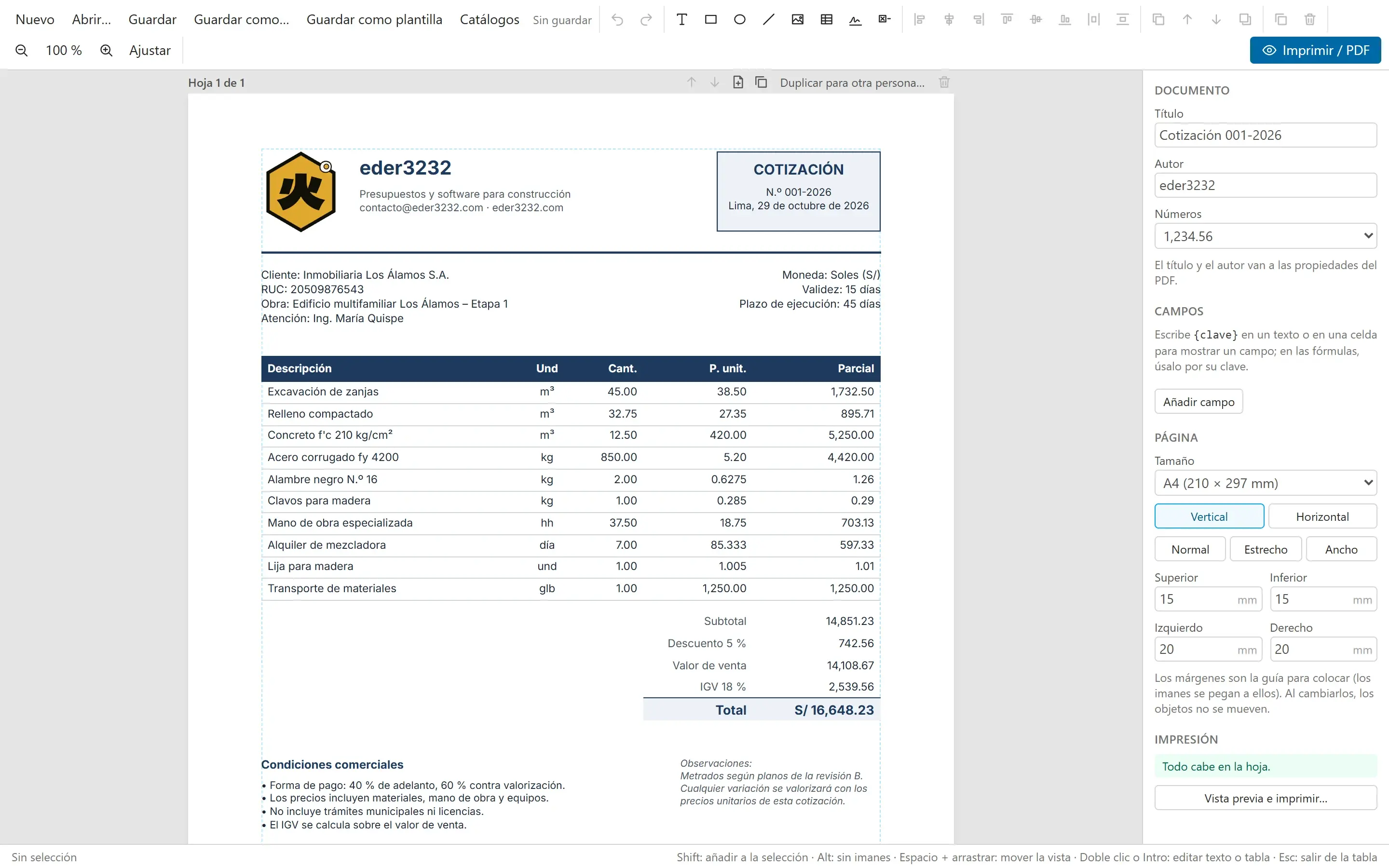
A desktop app for quotes, budgets, quantity takeoffs and document packets: tables are edited like in Excel, the page is laid out like in a visual editor, and what you see is exactly what prints. And Claude can build the open document with you.
- Client
- Proyecto propio
- My role
- Everything: idea, design, development and testing
- Period
- October – November 2026, in development
The problem
Quotes and document packets are made in Excel because that's where the math happens, but Excel wasn't made to lay out a page: the layout is forced with merged cells and tiny columns, and every sheet prints at a different scale.
And the same data is typed by hand on every sheet: the client's name, their ID, the tax rate. One change is enough for the packet to contradict itself.
What I built
One table, two faces
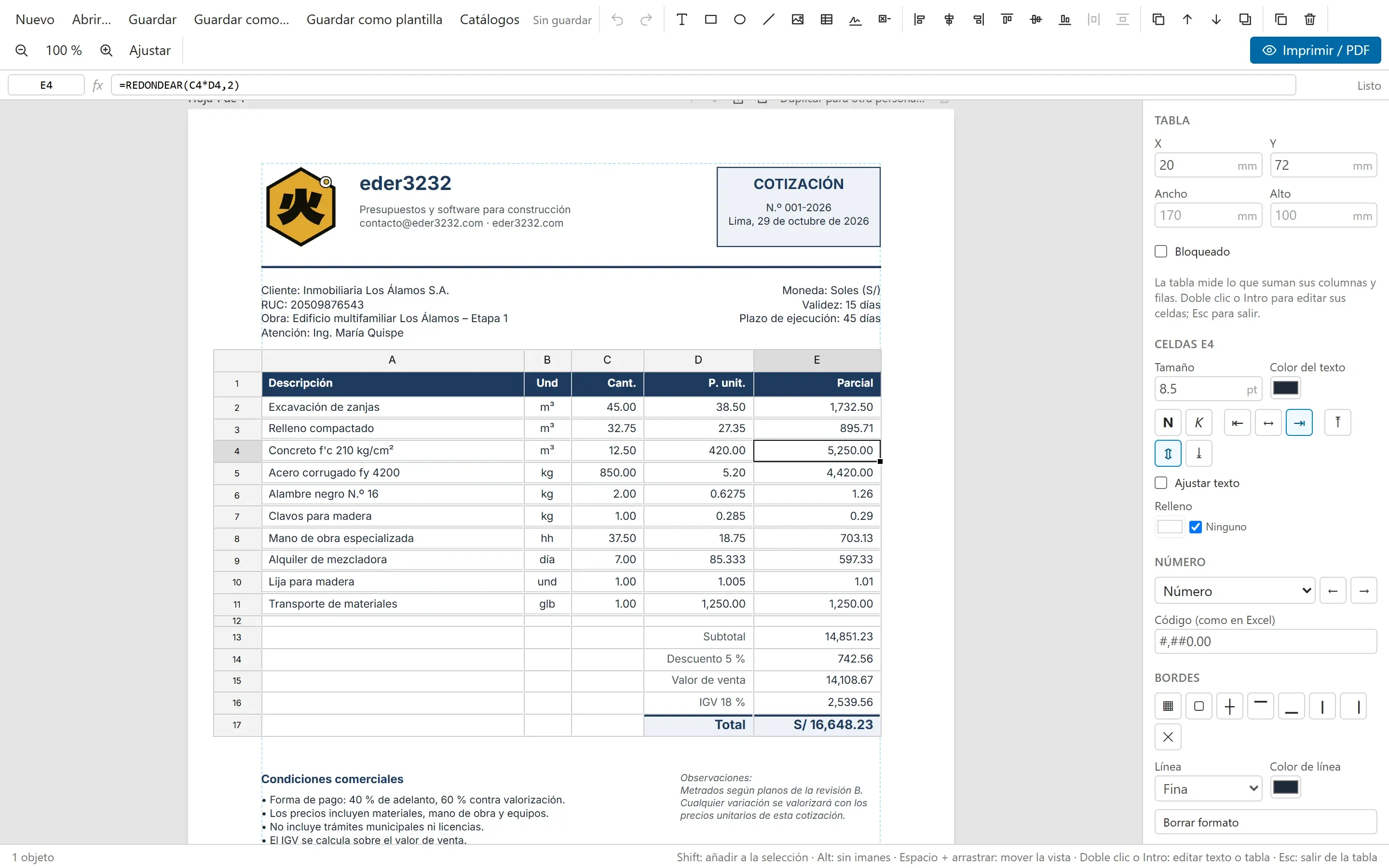
Double-click and the table shows its A, B, C columns and is edited like in Excel: the same keyboard, Spanish formulas, F4, the fill handle and copy-paste with Excel. Press Esc and it's the clean document table again.
Calculates like Excel, to the cent
The formula engine rounded differently from Excel in some cases (=ROUND(1.005,2) gave 1.00, not 1.01). I found it by comparing against real Excel and fixed it: a one-cent difference in a budget is exactly the error you can't afford.
Every piece of data, once
The number, date, client or tax rate are fields: typed once, they show up in every text, cell and formula. With templates, automatic numbering, client and line-item catalogs, checkboxes and signatures for multi-page, multi-person packets.
What you see is what prints
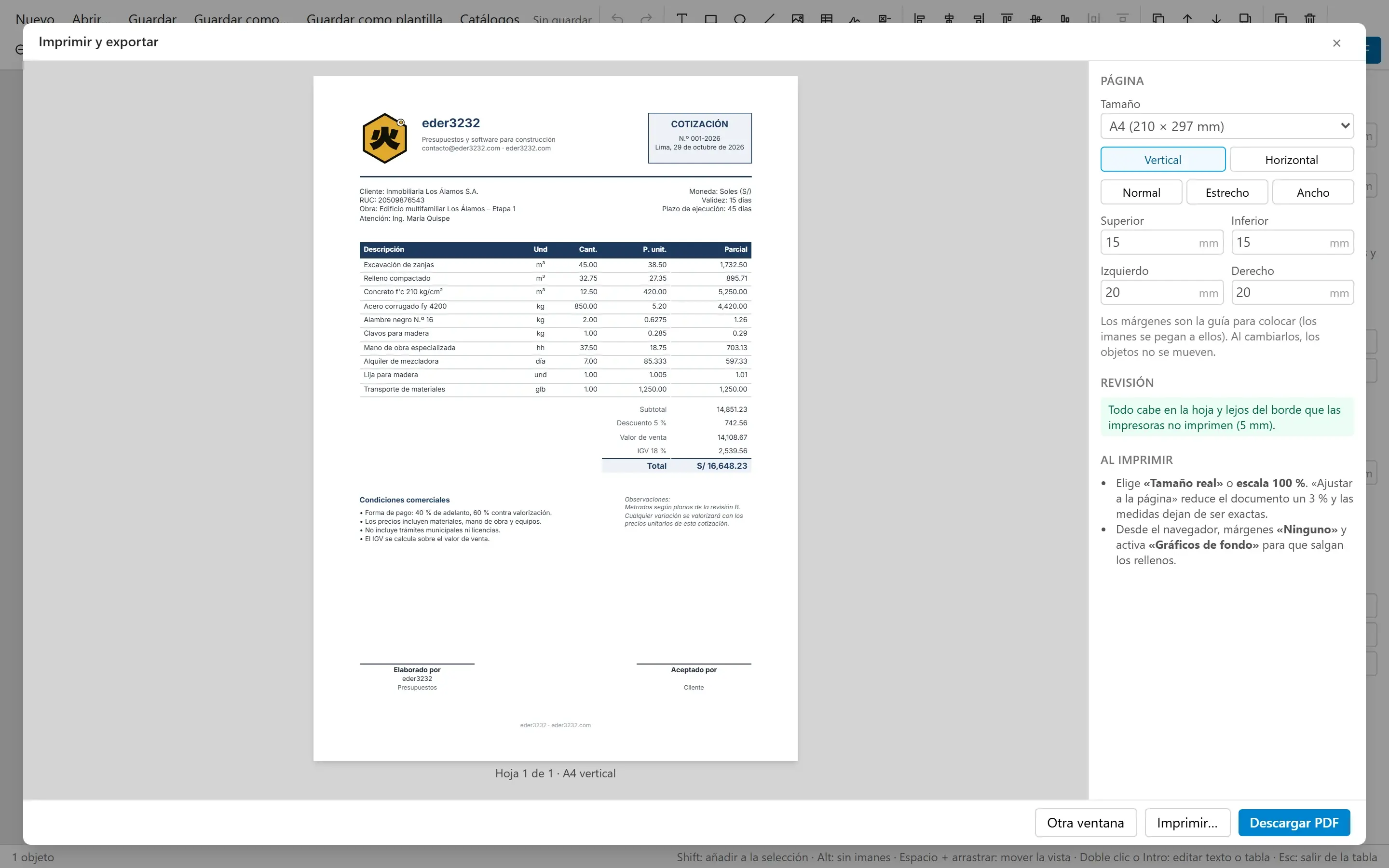
One drawing, in millimeters, for the screen and the PDF: exact A4, selectable text and a check that warns before printing if something falls off the page or sits on the edge printers can't print. And Claude can create and edit the open document: you see each change and undo it with Ctrl+Z.
Built with
What it looks like
What came next
It already has a Windows installer. What's next: using it for real quotes sent to clients, and having someone who lives in Excel every day try it.
Does your company need something like this?
Message me on WhatsApp