
eder-torre3d
Your agent doesn't describe the project: they show it!
Demo in Spanish, with a fictional building
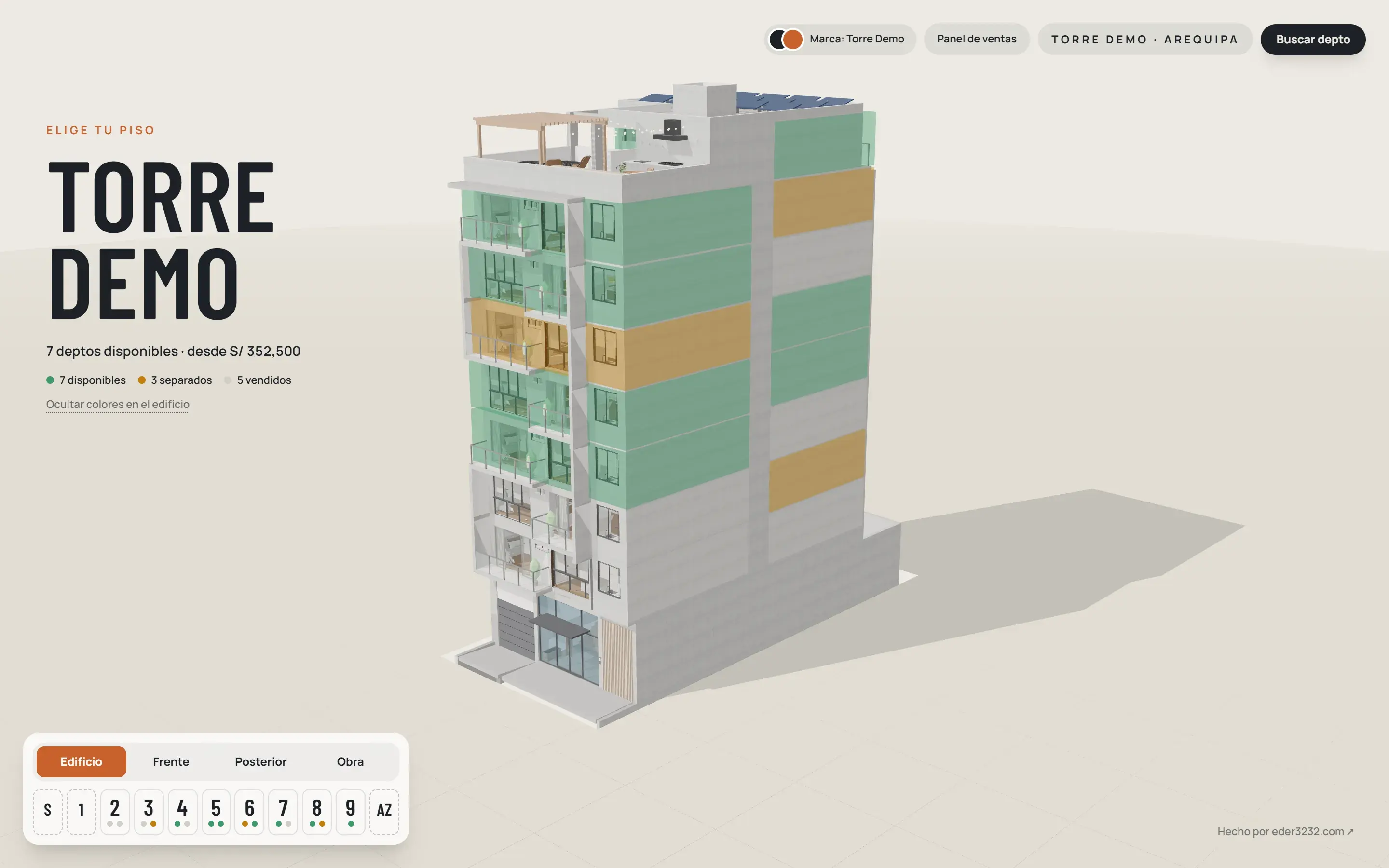
The showroom on your agent's tablet: the building in 3D floor by floor, every unit and every common area in 360°, and the construction progress, so your client understands the project even before it's built. And if they want more, they can open it again on their phone.
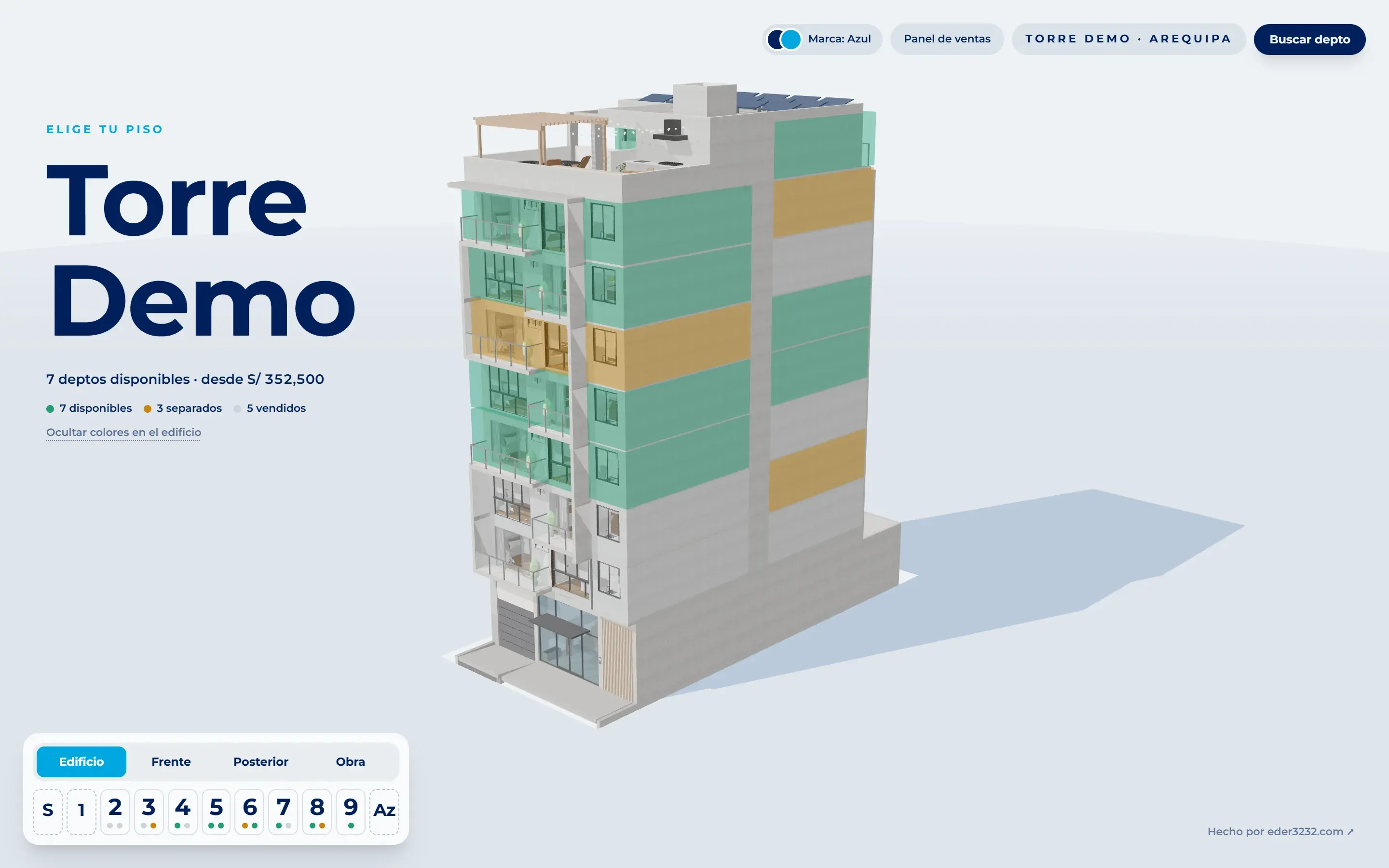
- The building floor by floor, with what's available, reserved and sold.
- Every unit and every common area in 360°, point by point or walking.
- Construction progress: the building as it is today and as it will be delivered.
Born from a commission for a construction company. The building is real; its name, prices and availability in the demo are made up.
What it does
What's available, in plain sight
Every unit is colored on the building by its status: available, reserved or sold, and the floor picker shows what's left on each level. “Find a unit” filters by bedrooms and availability, sorts by price and, with one tap, takes you to its floor with its card open.
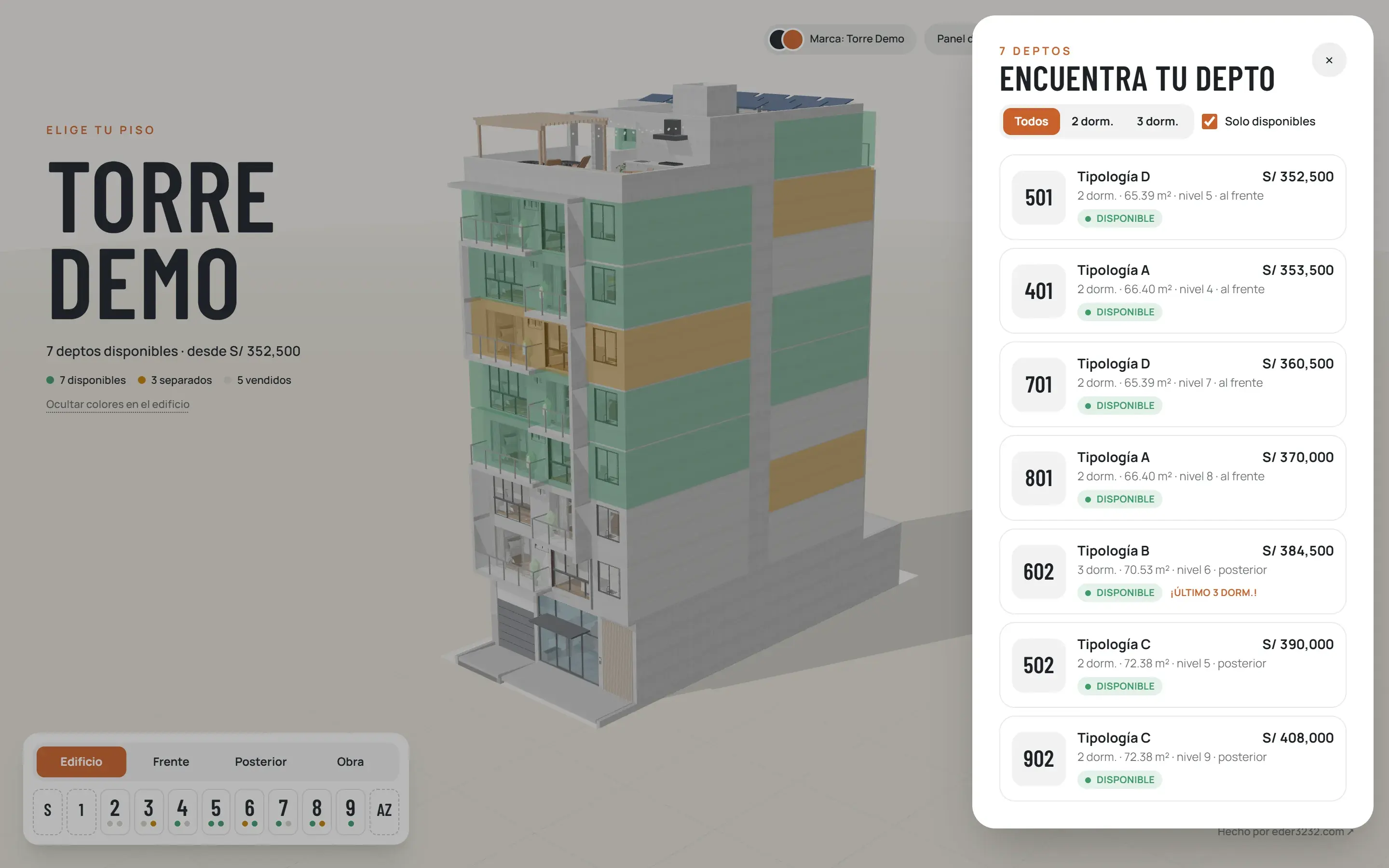
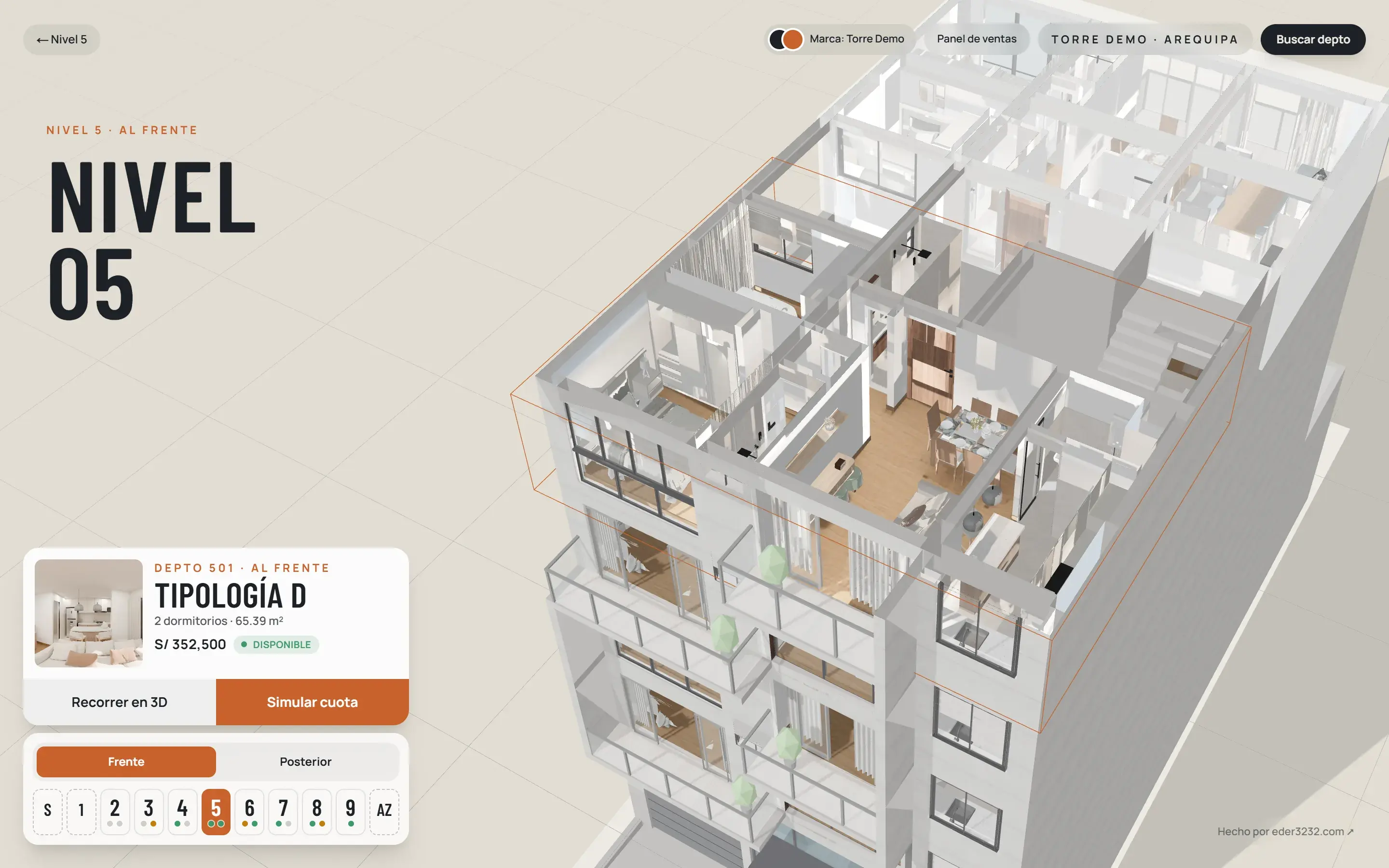
The unit card
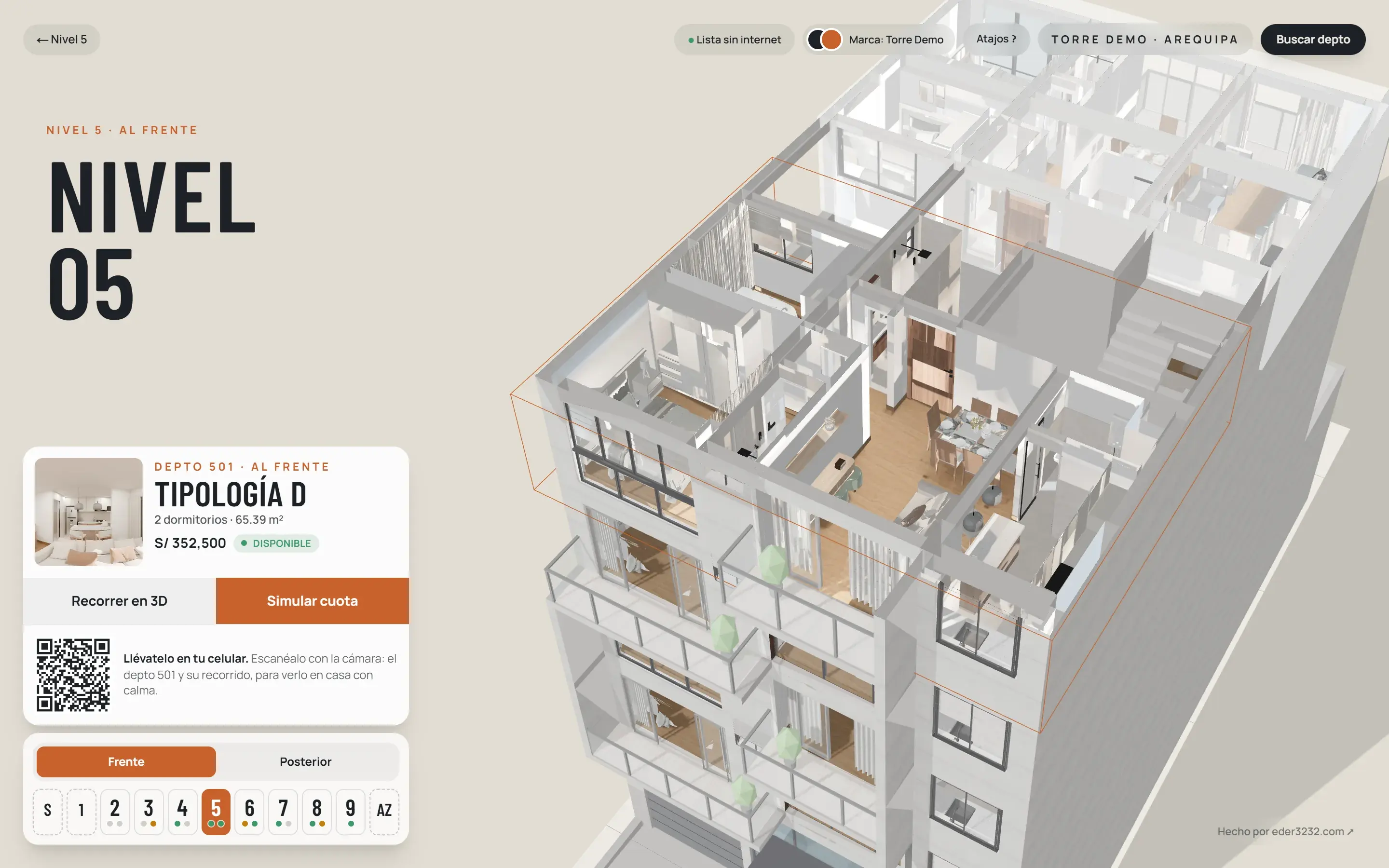
The floor is cut open in 3D and the chosen unit is outlined. Beside it: its type, bedrooms, area, price and status, with notes like “Last 3-bedroom!”.
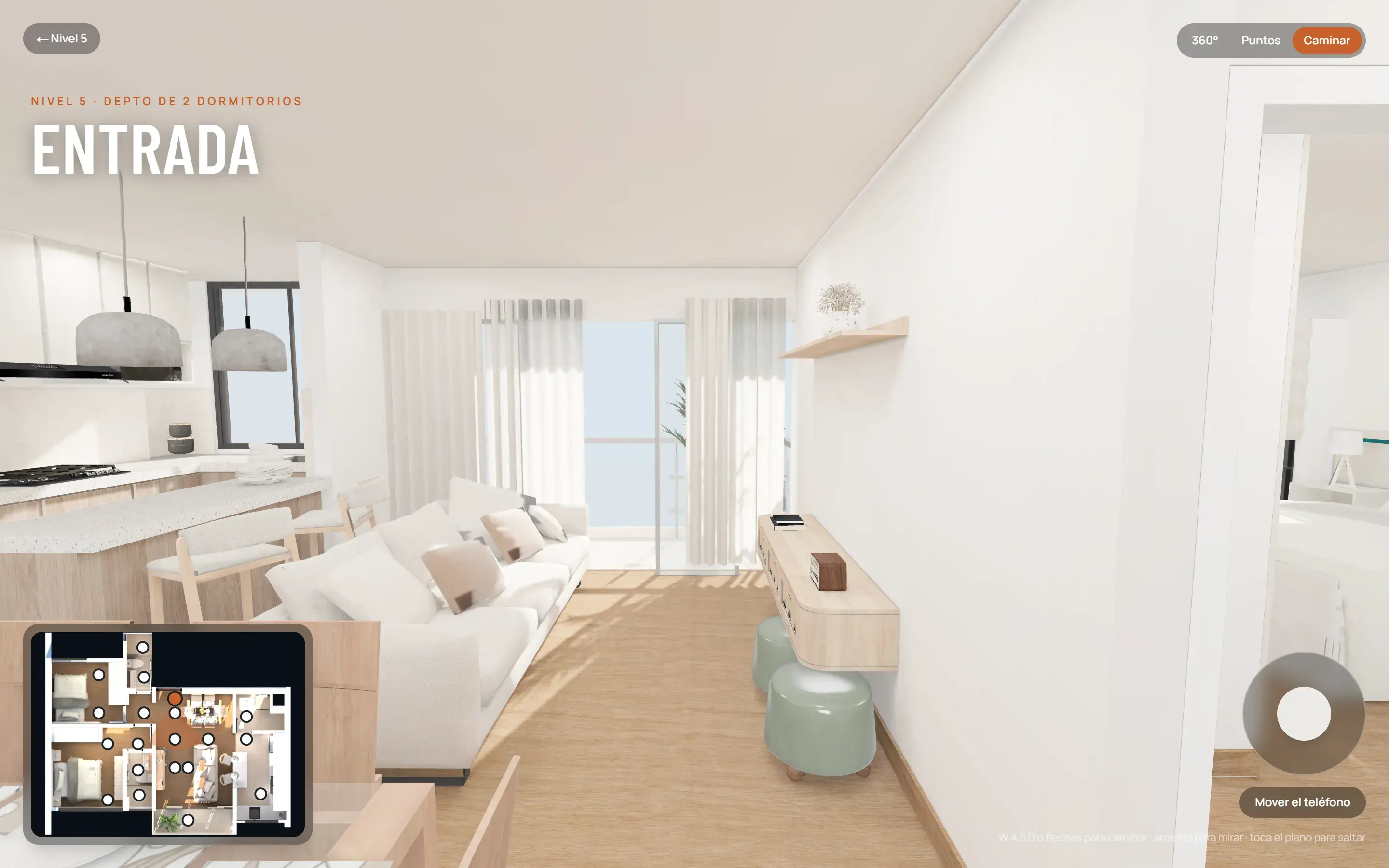
Walk inside, like in a video game
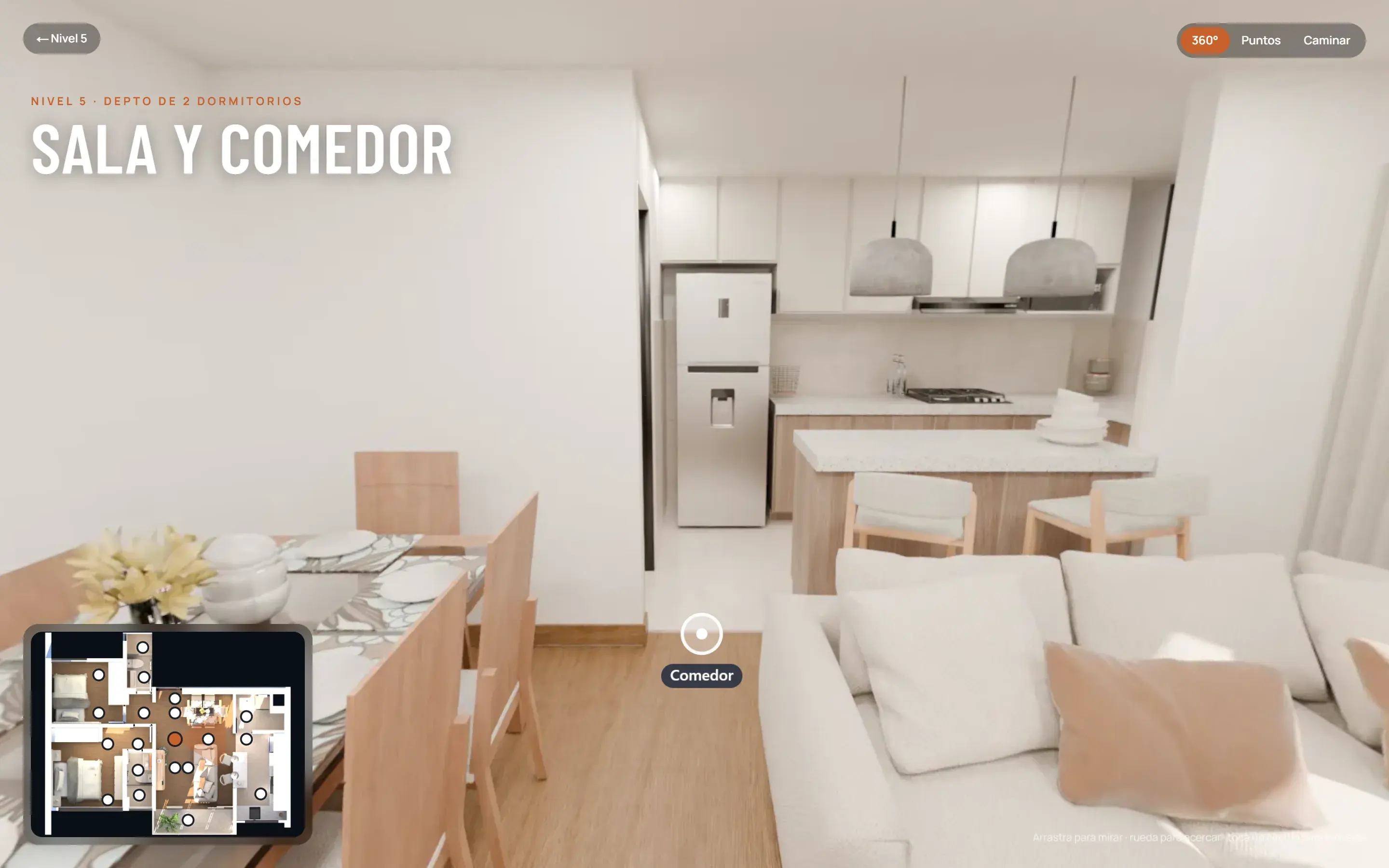
The client steps into the unit and walks through it at their own pace: with the joystick on a tablet or the arrow keys on a computer. The floor plan below shows where they are and, with one tap, jumps to another room.
Every room in 360°
360° photos of every room, linked by points: tap a circle to move to the next one. On a phone or tablet, just move the device to look around.
The common areas
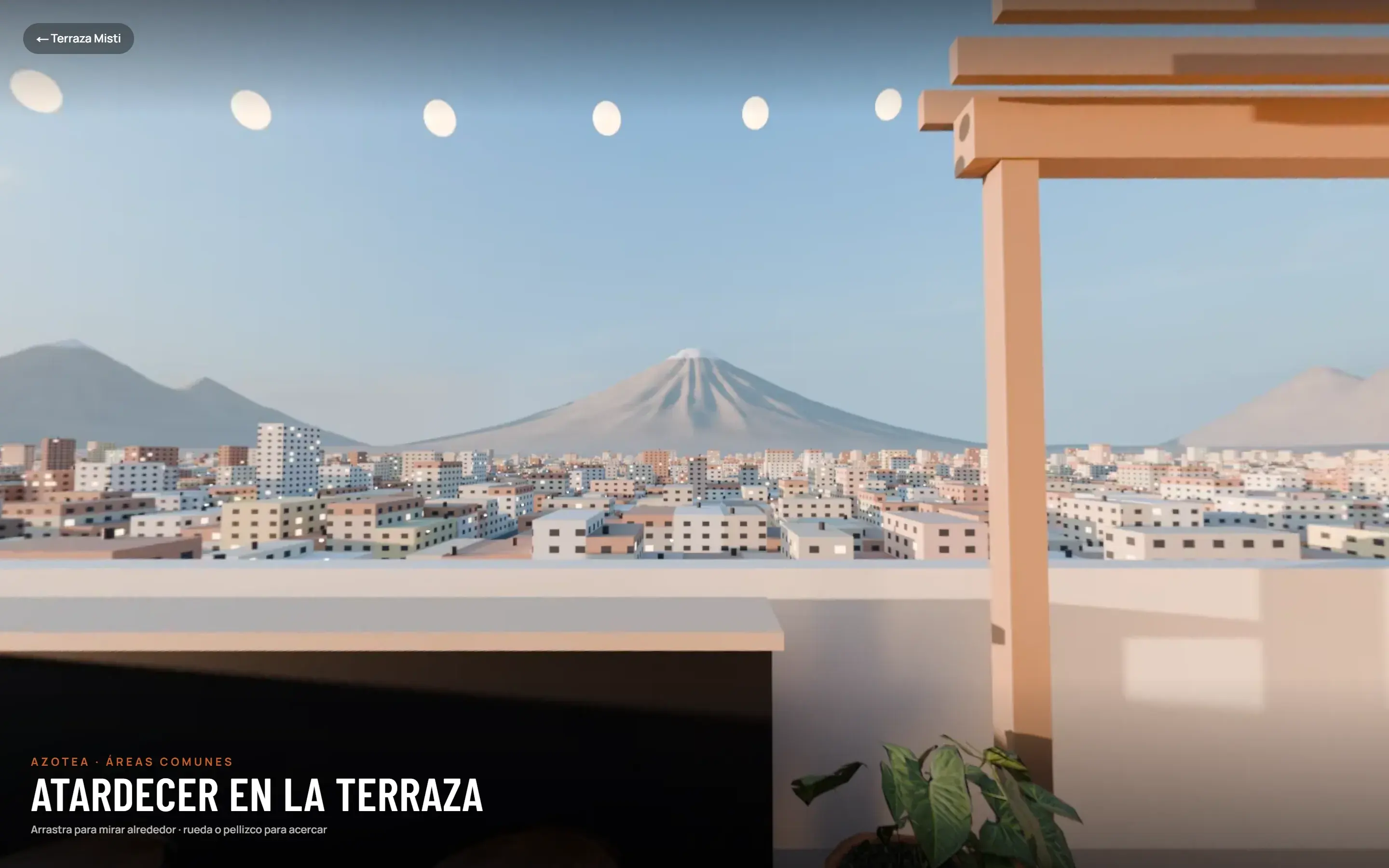
The terrace with the Misti volcano at sunset in 360°, and in 3D the lobby, the coworking space, the garden and the parking, each at its elevator stop.
Construction progress
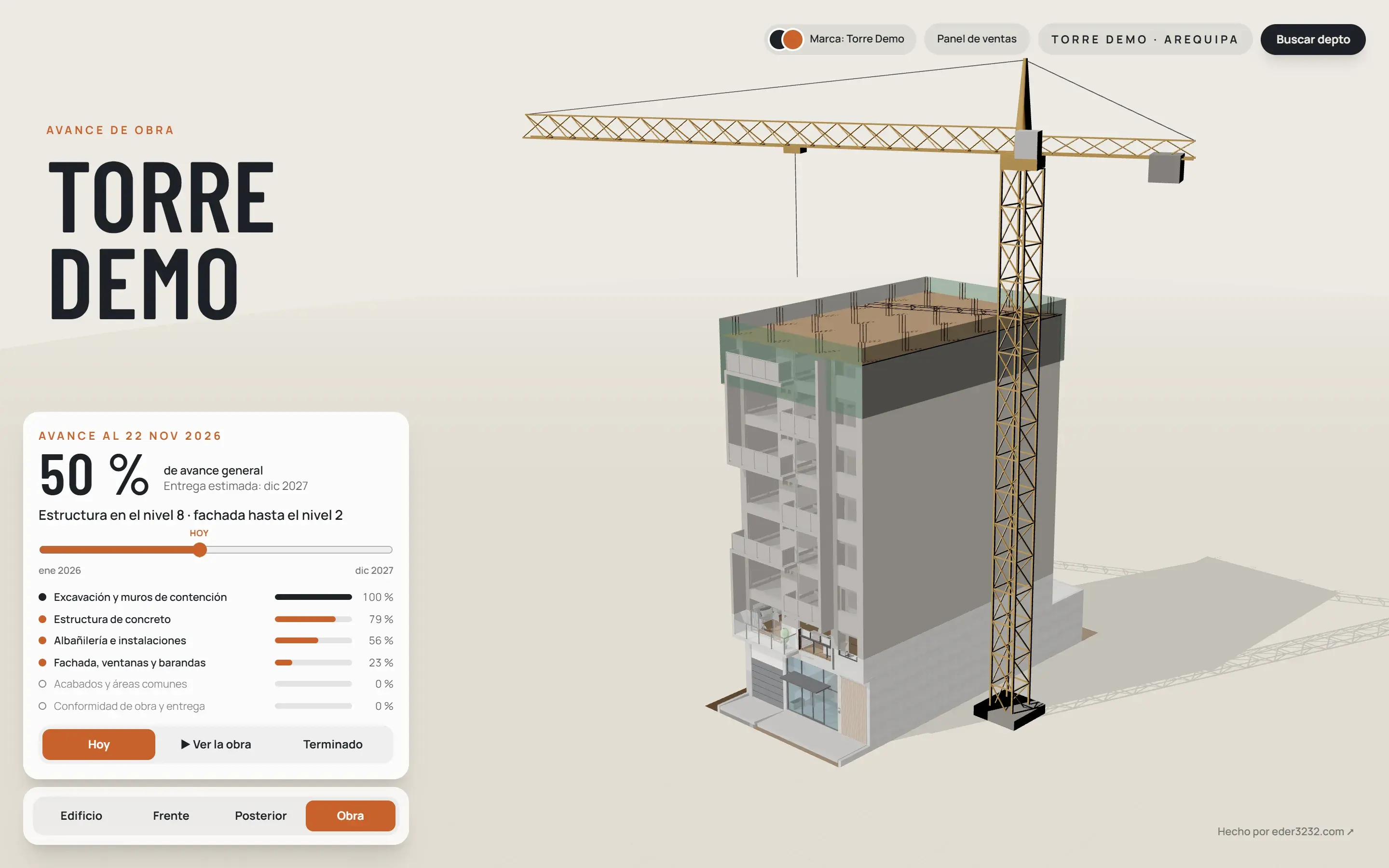
The building as it stands at the date of the latest report, with the crane and the progress of each stage. “Watch the build” plays it in 12 seconds, from excavation to handover. Keeping it current only takes updating the dates.
The payment simulator
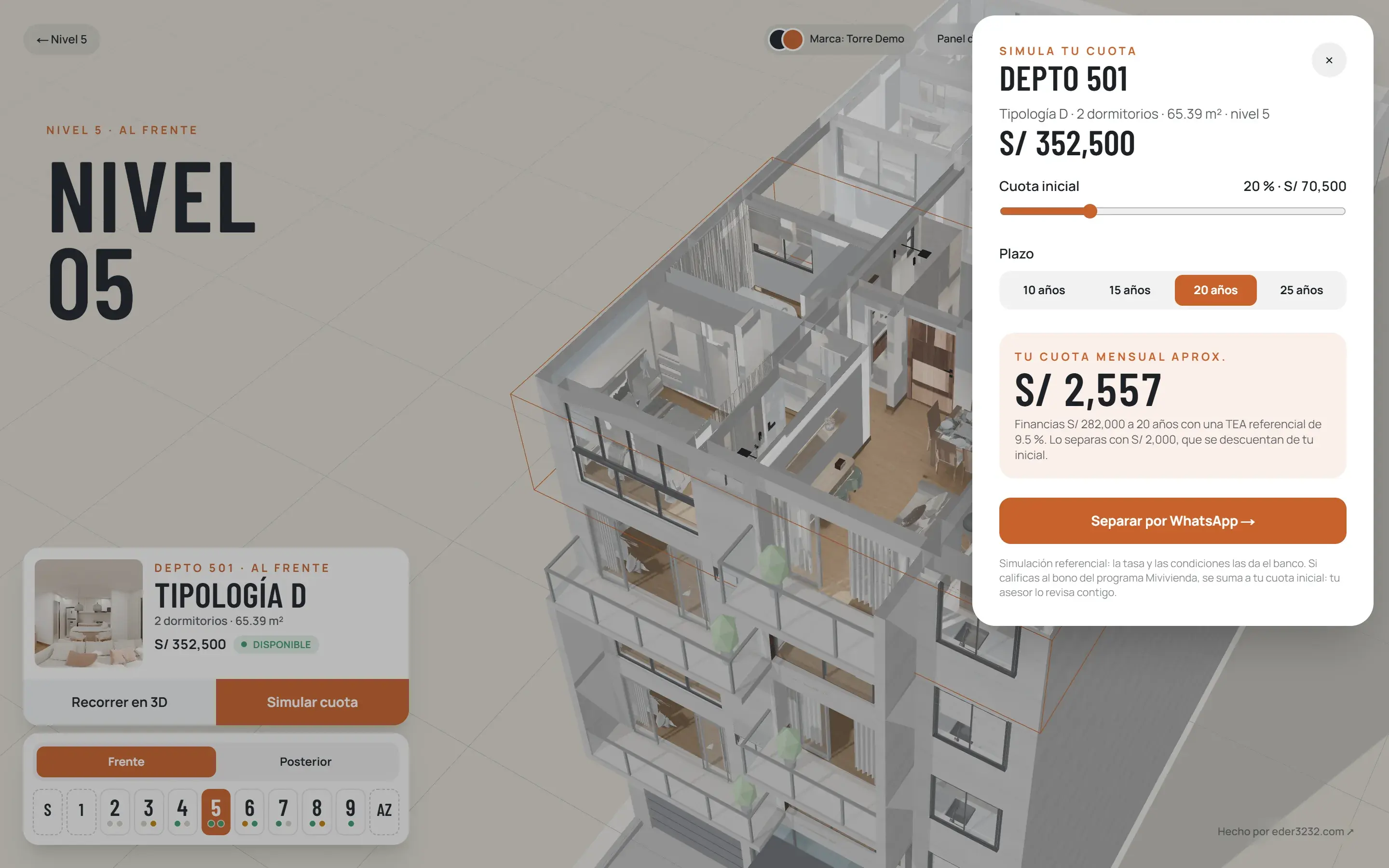
The client picks the down payment and the term, and sees their approximate monthly payment. “Reserve on WhatsApp” sends the agent the unit, the price, the down payment and the payment they chose: the conversation starts with full context.
The owner's dashboard
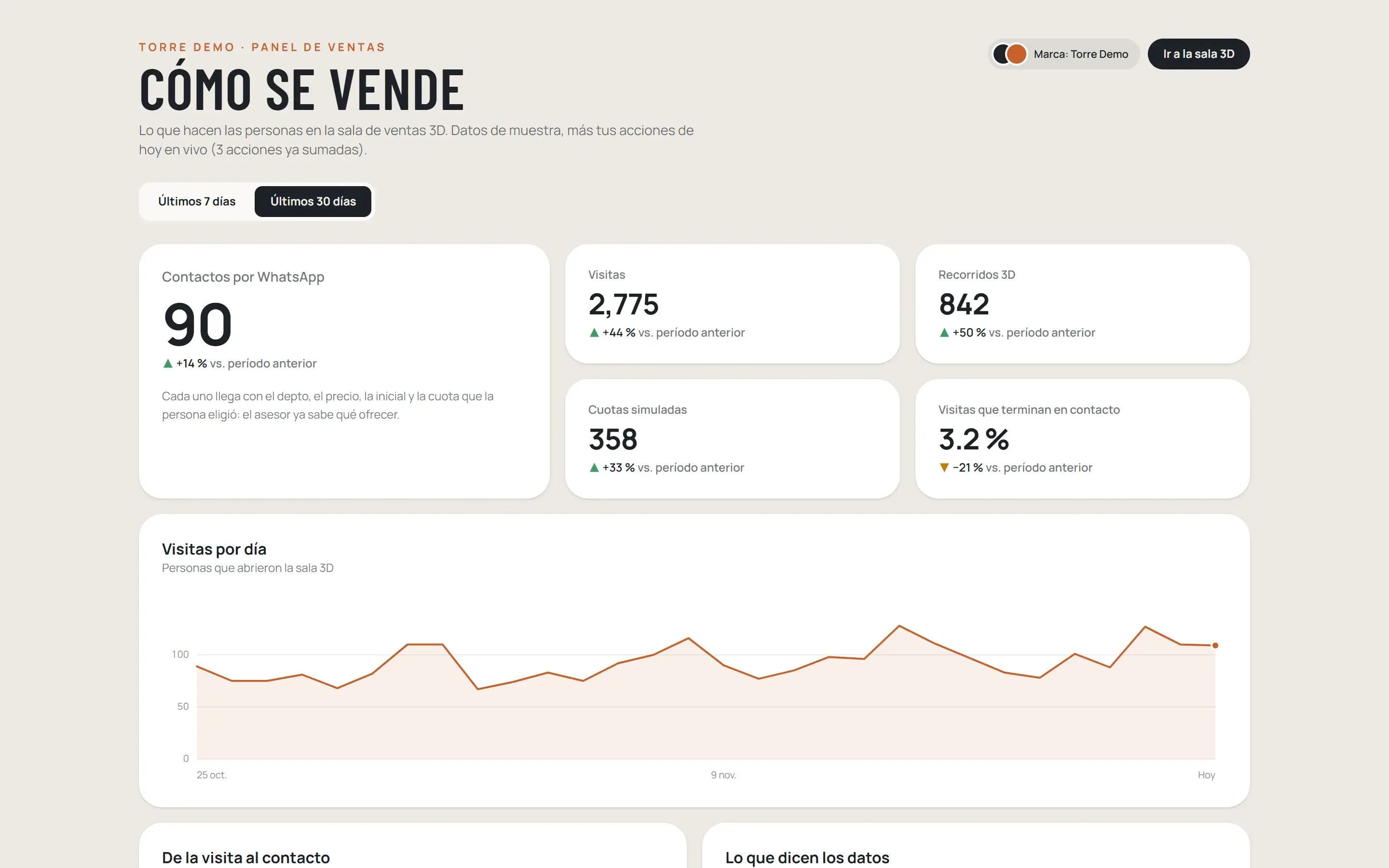
How many people open the project, how many tour it in 3D, simulate their payment and reach WhatsApp, which units get the most views and which term they choose. At the end, what that data says, in plain words.
The showroom, on the TV
The same app, set up for the office TV: it stores everything and keeps working even if the internet goes down, shows the 360° photos in 8K and, after 90 seconds untouched, goes back to the building spinning. The client takes the unit they liked home by scanning a QR code.
With your project's brand
Colors and typefaces change live, without reloading: at the meeting, the owner sees their own project.
It works on tablets, phones and the showroom TV, right in the browser, with nothing to install.